About Private Chat
What Is Private Chat?
Private Chat is a secure, in-app chat between customers using Textr Go and a verified business using Textr Team. It allows both sides to communicate in a confidential and minimum interrupted environment.
Should I Use Private Chat?
Textr Go Private Chat is designed to let businesses and customers communicate in a private and compliant way. You don’t need to subscribe to a phone number — you can chat with Textr Team numbers for free right inside the app.
Private Chat only works with verified Textr Team numbers. When you receive an invitation, you can be confident that the sender is a legitimate business operating on the Textr Team platform.
Visual Indicators
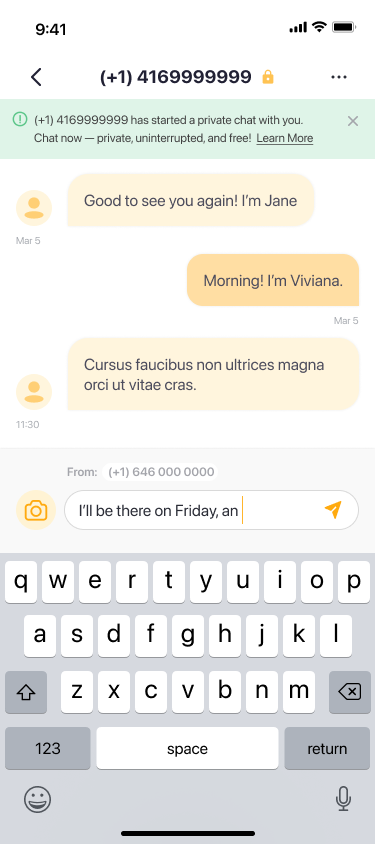
You can easily tell when you’re in a Private Chat:
These markers ensure you always know when your chat is secure and private.
How to Use Private Chat
1. Receive an Invitation
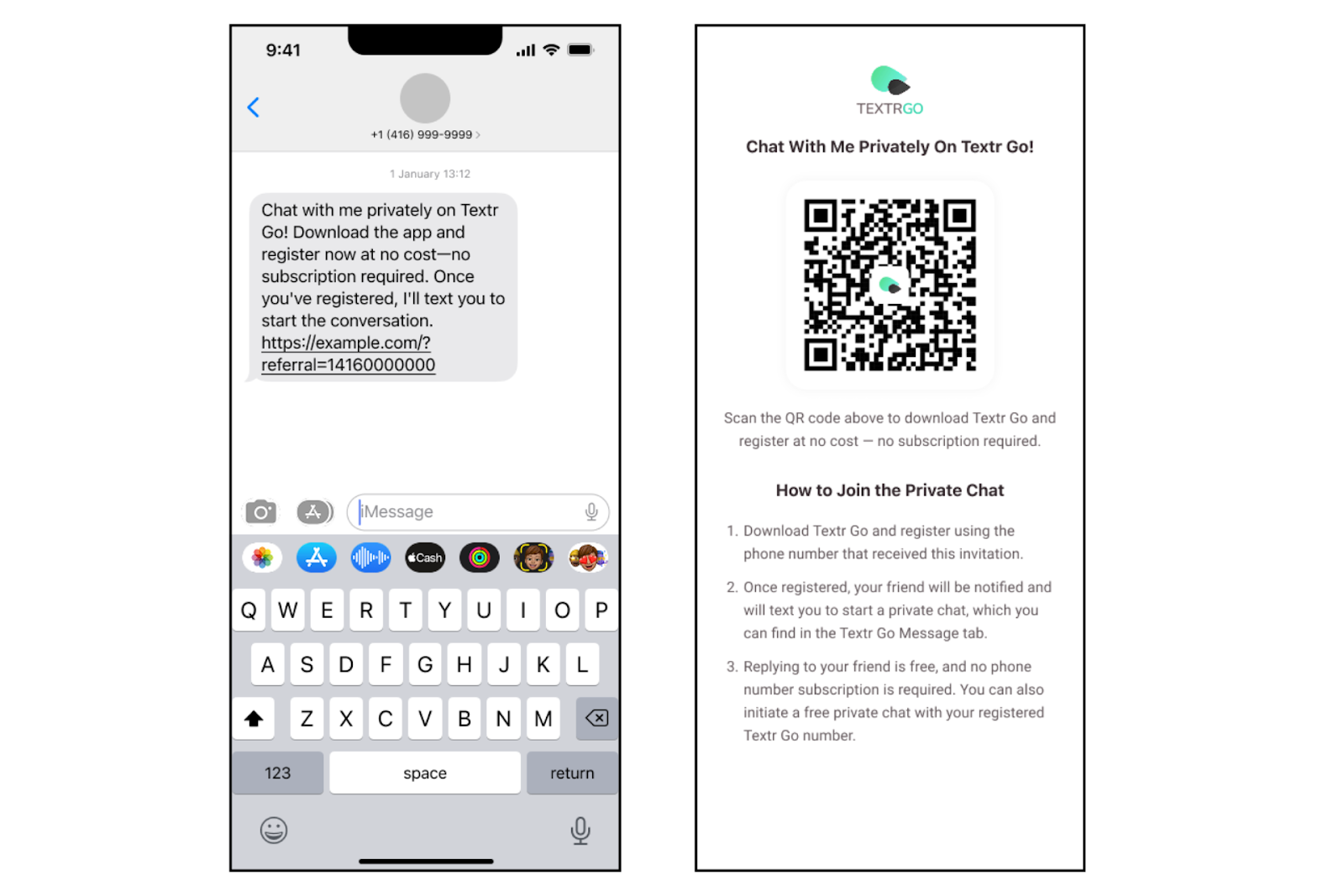
A business using Textr Team will send you a Private Chat invitation through SMS. The message may include a link or QR code to join the conversation.
2. Download & Register on Textr Go
To start chatting:
Download Textr Go (App Store, Google Play) or use Textr Go Web Mobile version
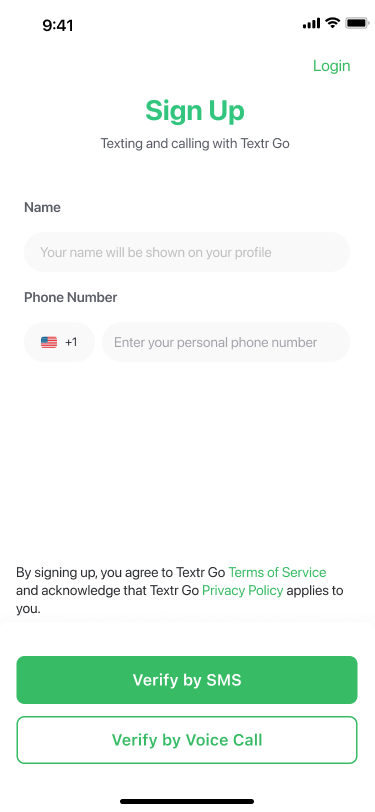
Register using the same phone number that received the invitation message
Log in to Textr Go — your invitation will automatically connect to the verified business chat
? Tip: Make sure to register with the same phone number that received the invite. Otherwise, you won’t see your previous conversation history.
3. Start Chatting
Once you log in:
The chat continues directly inside Textr Go
You can reply to verified Textr Team numbers for free — no phone number subscription required
You can also initiate a new Private Chat with the Textr Team phone number using your registered Textr Go number
Private Chat gives you a smooth and secure messaging experience that stays within the Textr system.
Who Can You Talk To in Private Chat?
Private Chat is only available between Textr Go users and verified Textr Team businesses.
You can send messages to verified Textr Team numbers
You cannot start Private Chats with other Textr Go users or non-Textr Team numbers
If you want to contact non-Textr Team numbers:
You’ll need to subscribe to a Textr Go virtual number
Then send your message via SMS/MMS
Textr Go will automatically switch to Private Chat when it detects that the recipient is a verified Textr Team number.
Privacy & Responsibility
Your privacy is always our priority. All conversations are governed by Textr Go’s Terms of Service and Privacy Policy.
Please note:
You are responsible for your own chat activity.
Textr Go may monitor or block messages containing restricted or sensitive content for safety and compliance.
Textr Go is not liable for damages, losses, or disputes resulting from chat content or user actions.
FAQ
1. Do I need to download Textr Go to use Private Chat?
You can use Textr Go App, Textr Go Web Mobile, or the Textr Go Web App to access Private Chat. Choose the platform that’s most convenient for you.
2. Can I use Private Chat without subscribing to a Textr Go number?
Yes! You can reply to verified Textr Team numbers for free — no phone number subscription required. You can also initiate a free Private Chat and contact with your registered Textr Go number.
3. How do I know if I’m in a Private Chat?
You can tell you’re in a Private Chat by the orange message background and the lock icon beside the contact’s name. These indicators show that your conversation is secure and private.
4. Can I block a business if I no longer want to talk?
Yes. You can block any business contact in your Private Chat settings. Once blocked, the business will no longer be able to send you messages. You can unblock them anytime through the same settings menu.
5. How can I find my previous chat after registering for Textr Go?
To see your previous chat, you need to register with the same phone number that received the invitation message. If you used a different number, the past chat won’t appear. You can start a new conversation using the “Free Private Chat” option in the app. If you’re using a subscribed number, just send a message via SMS/MMS — it will automatically switch to Private Chat if the number belongs to a verified Textr Team business.
6. Can I switch between Private Chat and Regular Chat inside Textr Go?
No, users cannot switch between Private Chat and Regular Chat in Textr Go. Once a conversation is in Private Chat mode, it stays in that secure channel. For instance, if you’re using the same phone number that was invited by the business, you’ll automatically enter a Private Chat and remain in that secure space. However, if you’re using a different number, you can choose a contact to message. When the contact belongs to a Textr Team business, the chat mode is automatically set and cannot be changed.